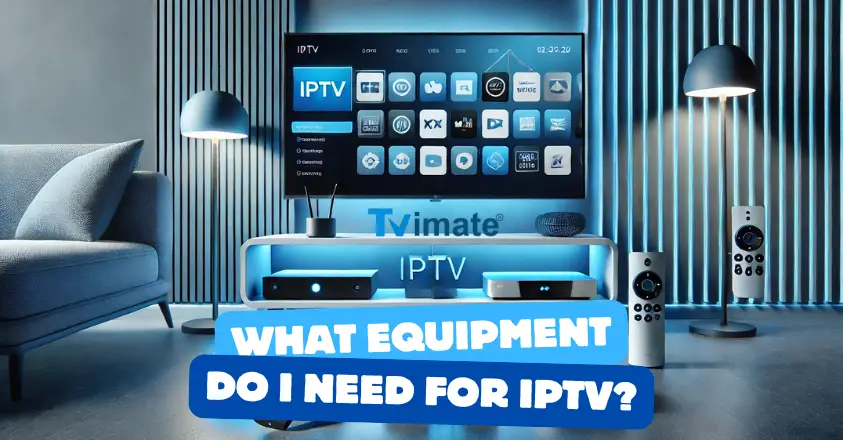

What Equipment Do I Need for IPTV?
Internet Protocol Television, or IPTV, has become incredibly popular as more people switch from traditional cable services to online streaming options. But to start enjoying the benefits of IPTV, you’ll need the right equipment. Let's dive into what you need to get the best IPTV experience!
10. A Reliable Internet Connection
The first and most important thing you need is a stable internet connection. IPTV relies on the internet to deliver TV channels and on-demand content, so the quality of your connection will directly affect your viewing experience.
How fast should your connection be? At least 10 Mbps is recommended for standard streaming, while 25 Mbps or higher is ideal for HD or 4K streaming. Imagine watching a live sports event in the middle of an intense game, if your connection slows down or cuts out, it could ruin the entire experience. Having a reliable internet connection ensures that you get continuous, buffer-free streaming.
If you’re unsure about your current speed, you can use tools like Speedtest to check if your internet is fast enough for IPTV.
9. IPTV Device or Streaming Box
The next essential item is an IPTV device, also known as a set-top box. This device connects to your TV and translates the IPTV signals into a format your TV can display. There are a variety of options available, depending on your preferences and budget.
- MAG Boxes: Known for compatibility with many IPTV providers, these are popular among dedicated IPTV users. They’re straightforward and easy to set up, making them a good option for beginners.
- Amazon Fire Stick: A versatile, affordable device that supports numerous IPTV apps. The Fire Stick is ideal if you’re looking for something portable that you can use on different TVs, even when you’re traveling.
- Android TV Boxes: Devices like the NVIDIA Shield provide excellent processing power and compatibility with various apps, including IPTV. They also allow you to use other Android apps, so you can switch from watching IPTV to gaming or streaming other services.
For instance, if you want something powerful and flexible, an Android TV Box can be a great fit. But if you’re looking for something simple and budget-friendly, a Fire Stick might be more up your alley.
8. Smart TV (or HDMI Cable for Older TVs)
If you own a Smart TV, you may not even need a separate IPTV device. Most Smart TVs have an app store where you can download IPTV apps directly. Samsung and LG Smart TVs, for example, often have popular IPTV applications available for download.
But what if you have an older TV? No worries! You can use an HDMI cable to connect your IPTV device or even your computer to your TV, allowing you to enjoy IPTV content on the big screen. Picture this: you’re watching a movie with friends and family on a big TV screen with rich colors and sound, creating a mini-theater experience right in your living room.
7. IPTV Subscription
Now that you have the equipment to access IPTV, you’ll need an IPTV subscription. This is where you choose your IPTV provider, which acts as your gateway to various TV channels and content. There are many IPTV providers out there, so look for one that fits your preferences and budget.
Be sure to choose a reputable provider with positive reviews to avoid buffering and poor-quality streams. With the right provider, you can enjoy high-definition channels and a wide selection of content, from live sports and news to movies and series.
Looking for a good provider? Check out guides like this one to compare top IPTV services.
6. IPTV Remote Control
An IPTV remote control can make navigating your IPTV service much easier. Many set-top boxes come with a remote, but you can also purchase universal remotes that can be programmed for various devices.
Some advanced remotes even have voice control capabilities, allowing you to change channels or search for content with simple voice commands. Imagine saying, “Play the latest episode of my favorite show,” and watching your IPTV system respond instantly. This feature can make it easier to interact with IPTV, especially for those who find navigating through menus cumbersome.
5. VPN for Privacy
While not strictly necessary, a VPN (Virtual Private Network) can enhance your IPTV experience by adding a layer of privacy and security. A VPN hides your online activity from your ISP (Internet Service Provider) and helps prevent potential throttling, especially if you're streaming a lot of content.
Additionally, a VPN can unlock geo-restricted content, giving you access to channels and shows that may be limited in certain regions. For example, you might be in Europe but want to watch U.S. content that isn’t available in your country. A VPN can make that possible by routing your connection through a server in the U.S.
Popular VPN services like NordVPN and ExpressVPN offer user-friendly apps that are compatible with most IPTV devices.
4. Router Upgrade (Optional)
If you experience buffering or lag, your Wi-Fi router might be the culprit. Investing in a modern router can greatly improve your IPTV performance, especially if it supports dual-band or 5GHz frequencies.
For example, a mesh Wi-Fi system provides coverage throughout your home and eliminates dead zones. You can seamlessly watch IPTV on any device, anywhere in your house. Whether you’re streaming a game in the living room or catching up on the latest show in your bedroom, a high-quality router ensures you won’t miss a beat.
3. Power Supply (Consider Backup Options)
One of the simplest yet often overlooked pieces of equipment is a reliable power source for your IPTV setup. A power outage can interrupt your streaming, so you might want to consider a backup power supply like a UPS (Uninterruptible Power Supply).
This can keep your internet router and IPTV device running for a short period in case of a power failure, so you won’t miss any crucial scenes or moments. It’s an especially good idea if you live in an area prone to power interruptions.
2. Ethernet Cable for Stable Connection
While Wi-Fi is convenient, a wired connection is typically more stable and reliable for streaming. Connecting your IPTV device directly to your router with an Ethernet cable can reduce buffering and provide a smoother experience. This is especially beneficial if your IPTV device is located close to your router.
Imagine watching a live sports event with no buffering interruptions, thanks to a stable wired connection. Ethernet cables also come in various lengths, so you can have flexibility in your setup.
1. External Storage Device for Recording
Lastly, some IPTV services allow you to record live TV. To take advantage of this, you’ll need an external hard drive or USB flash drive to store your recordings.
This is a great option if you want to watch shows on your own schedule or save content for later. Imagine recording a live event and rewatching it with friends—having an external storage device makes it easy to save and access all your favorite content whenever you want.
Wrapping Up
To sum up, setting up IPTV doesn’t have to be complicated. With a fast internet connection, an IPTV device (or Smart TV), a subscription, and some optional accessories like a remote control and VPN, you’ll be ready to enjoy a wide range of content.
Ready to dive into the world of IPTV? Get your equipment, sign up for a service, and start streaming! For more detailed comparisons of IPTV setups and options, visit IPTV Guide to learn more.
